AI that performs tasks for users directly within the OS
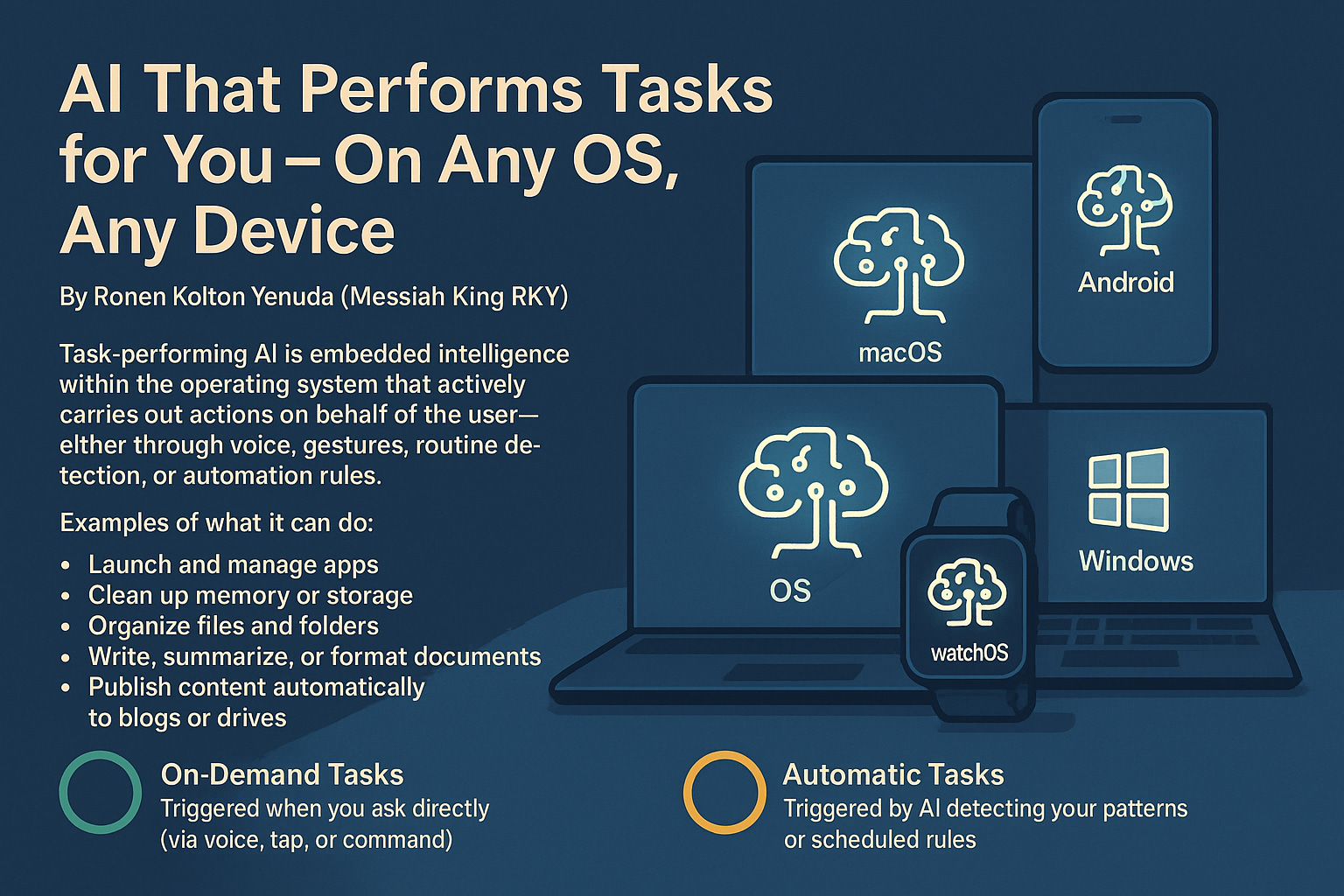
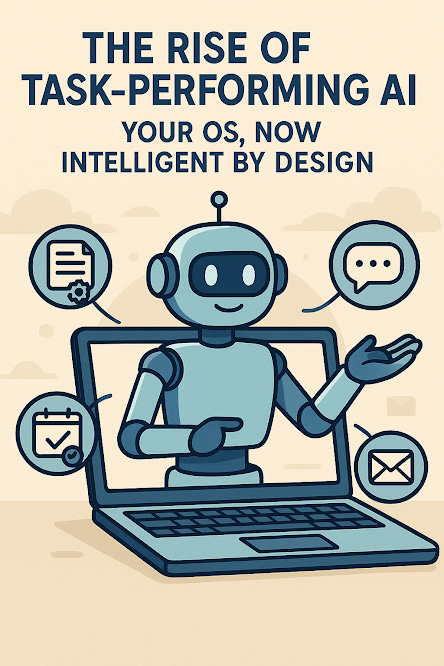
The Rise of Task-Performing AI: Your OS, Now Intelligent by Design
By Ronen Kolton Yehuda (Messiah King RKY)
Introduction: From Assistant to Operator
As operating systems evolve from static interfaces into dynamic ecosystems, a new kind of intelligence is emerging—AI that performs tasks for users directly within the OS, either on demand or automatically. This transformation redefines not only how we interact with our devices but what it means for software to truly “assist.”
Whether it’s organizing files, launching apps, managing updates, writing documents, or publishing content, AI is becoming an active agent inside the operating system—not just a voice assistant or recommendation tool.
What Is Task-Performing AI in an OS?
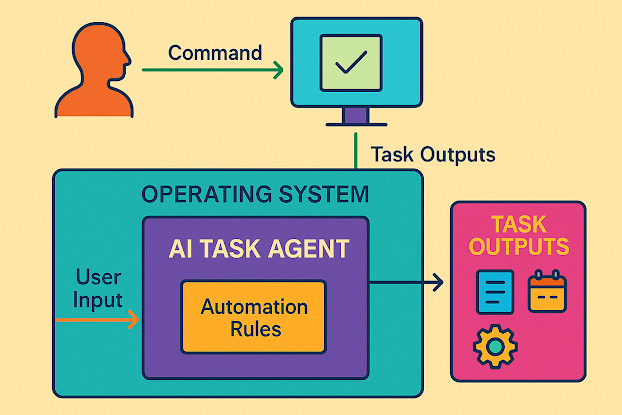
Unlike Siri, Alexa, or Google Assistant, task-performing AI is deeply embedded into the OS and can act within system environments:
Open, close, and manage applications
Write emails, summarize documents, and schedule events
Adjust settings based on behavior
Organize files, free up storage, and back up data
Perform tasks based on voice commands or automatically via behavioral detection
It’s not just assistance—it’s execution.
Two Modes: On-Demand and Automatic
🟢 On-Demand Tasks
AI performs actions when you ask:
“Sort all photos by date and upload to cloud.”
“Mute all non-essential notifications.”
“Summarize this report and send it to my team.”
🟡 Automatic Tasks
AI acts independently, based on context or schedules:
Launching a workout app when headphones connect
Publishing drafts that haven’t changed in 7 days
Suggesting file cleanup when disk space is low
Silencing alerts during meetings (based on your calendar)
How It Works: The Intelligence Behind the Actions
1. System Integration
Deep OS access to APIs, sensors, hardware, and apps.
2. Behavioral Modeling
Learns your habits, adjusts actions to your routines.
3. Natural Command Processing
Understands human language, gestures, and shortcuts.
4. Secure Execution
Operates within sandboxed environments, respecting user permissions.
Key Applications Across Platforms
PCs & Laptops: Auto-organized desktops, smart summaries, voice navigation
Smartphones/Tablets: Battery optimization, app launch automation, notification control
Smartwatches: Fitness automation, health reporting
Smart Homes: Schedule-based device coordination (lights, thermostats, security)
Content Publishing AI: From Commands to Public Posts
Beyond productivity, embedded AI can manage your entire publishing lifecycle, including:
Formatting documents
Generating SEO tags
Converting to PDF, HTML, DOCX
Uploading to blogs, newsletters, cloud platforms
Automatically posting based on folder tags or content rules
Use Cases
A student saves a Markdown file tagged "publish"—AI formats it as a PDF and sends it to a shared drive.
A user speaks an idea—AI transcribes, edits, and posts it to a blog.
A photographer updates a project folder—AI captions, watermarks, and posts to social media.
Architecture of Task-Performing AI for Publishing
AI Agent Core: Trained for language and task detection
Task Orchestrator: Routes commands and manages execution queues
Rendering Engine: Formats raw content
Publishing Interface: Connects to WordPress, Substack, Google Drive, etc.
Security Layer: Uses token-based authentication and permission control
Deployment Models
Native OS Integration: Inside Villan V1 OS, A1 OS
Hybrid AI (Edge + Cloud): Local processing + cloud rendering
Agent Daemon: Background services for traditional systems like Windows or Linux
Cross-Device Harmony: Any OS, Any Device
AI now works seamlessly across:
Windows, macOS, Linux, Android, iOS, Villan OS
Phones, laptops, tablets, smartwatches, smart TVs, and embedded IoT
Sample Commands Across Devices:
“Mute non-urgent alerts while I drive.” (Phone)
“Email this memo as PDF.” (Laptop)
“Log today’s health data.” (Watch)
“Post update to Substack and LinkedIn.” (Universal)
Privacy and UX Standards
AI must be:
Transparent: You know what it’s doing
Permission-based: You control automation
Reversible: You can undo actions
Secure: All actions sandboxed and logged
A Smarter OS, A New Role for You
You’re no longer just an operator—you’re a director. The OS becomes your collaborator.
You think, speak, save, or gesture.
AI formats, publishes, shares, and organizes.
Conclusion: Smart. Serious. Elegant.
Task-performing AI is not a futuristic concept—it’s a present-day revolution.
It’s a new way to compute. A smarter operating system. A more powerful relationship with your devices.
This is computing—performed by AI, powered by you.
© Ronen Kolton Yehuda (Messiah King RKY)
Villan | A1 OS | V1 OS | Global AI Standards
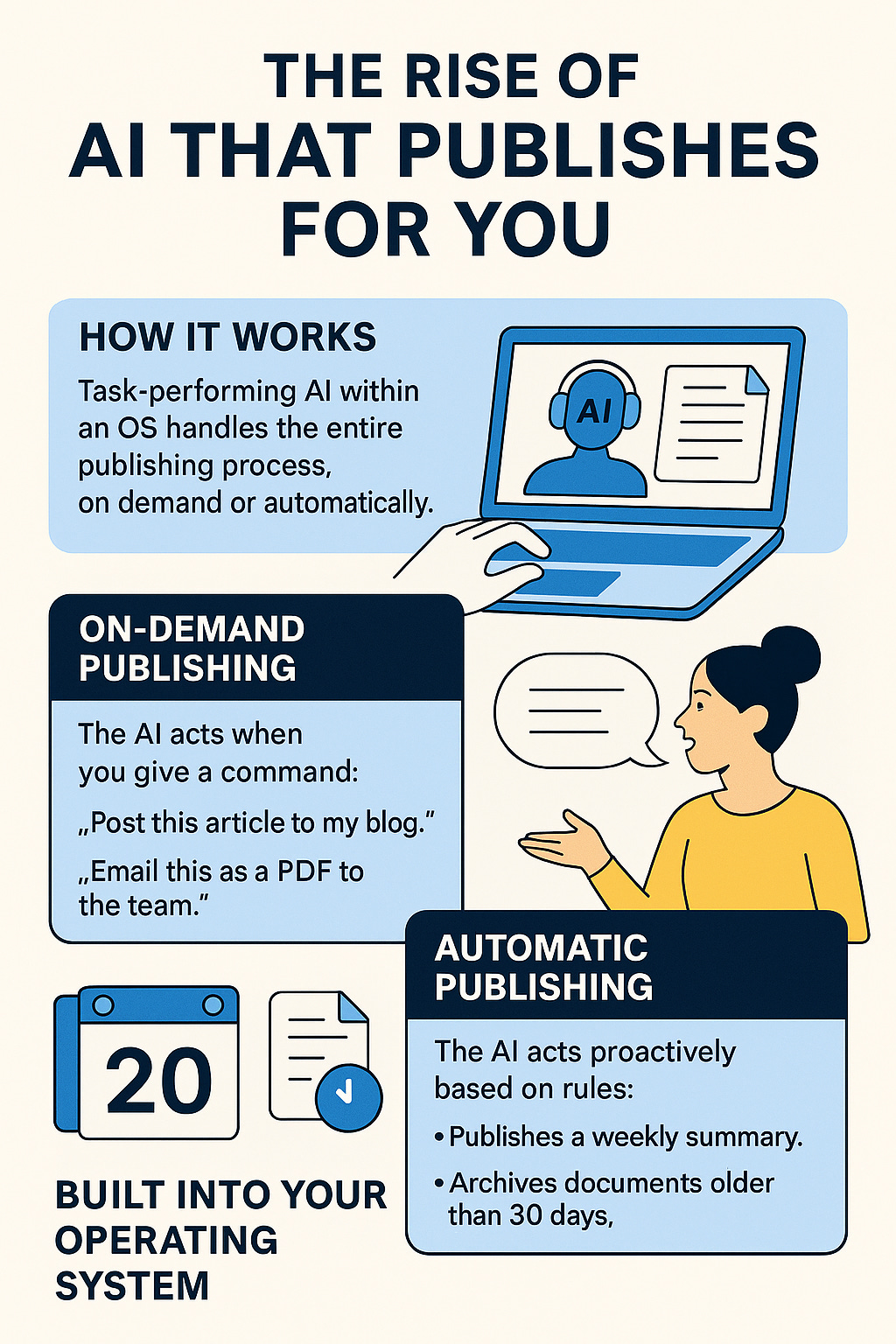
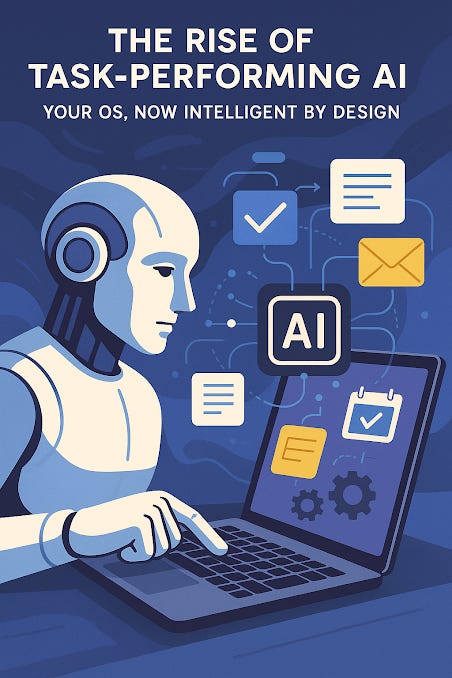
The Rise of Task-Performing AI: Your OS, Now Intelligent by Design
By Ronen Kolton Yehuda (Messiah King RKY)
As operating systems evolve from static interfaces into dynamic ecosystems, a new kind of intelligence is emerging—AI that performs tasks for users directly within the OS, either on demand or automatically. This transformation redefines not only how we interact with our devices, but what it means for software to truly “assist.”
Whether it’s organizing files, launching apps, managing updates, writing documents, or automating workflows, AI is becoming an active agent inside the operating system, not just a voice assistant or background recommendation tool.
What Is Task-Performing AI on an OS?
Unlike traditional virtual assistants (like Siri, Alexa, or Google Assistant), task-performing AI is deeply embedded within the operating system. It doesn’t just answer questions or fetch information—it acts within the system environment.
These AIs can:
Open, close, and manage applications
Schedule tasks, send messages, and write emails
Adjust settings based on usage patterns
Clean up storage, organize files, or back up data
Respond to voice or typed commands—or operate entirely on automation rules
They act as automated hands and brains for your device.
Two Modes: On-Demand and Automatic
1. On-Demand AI Tasks
These are tasks executed when the user asks. For example:
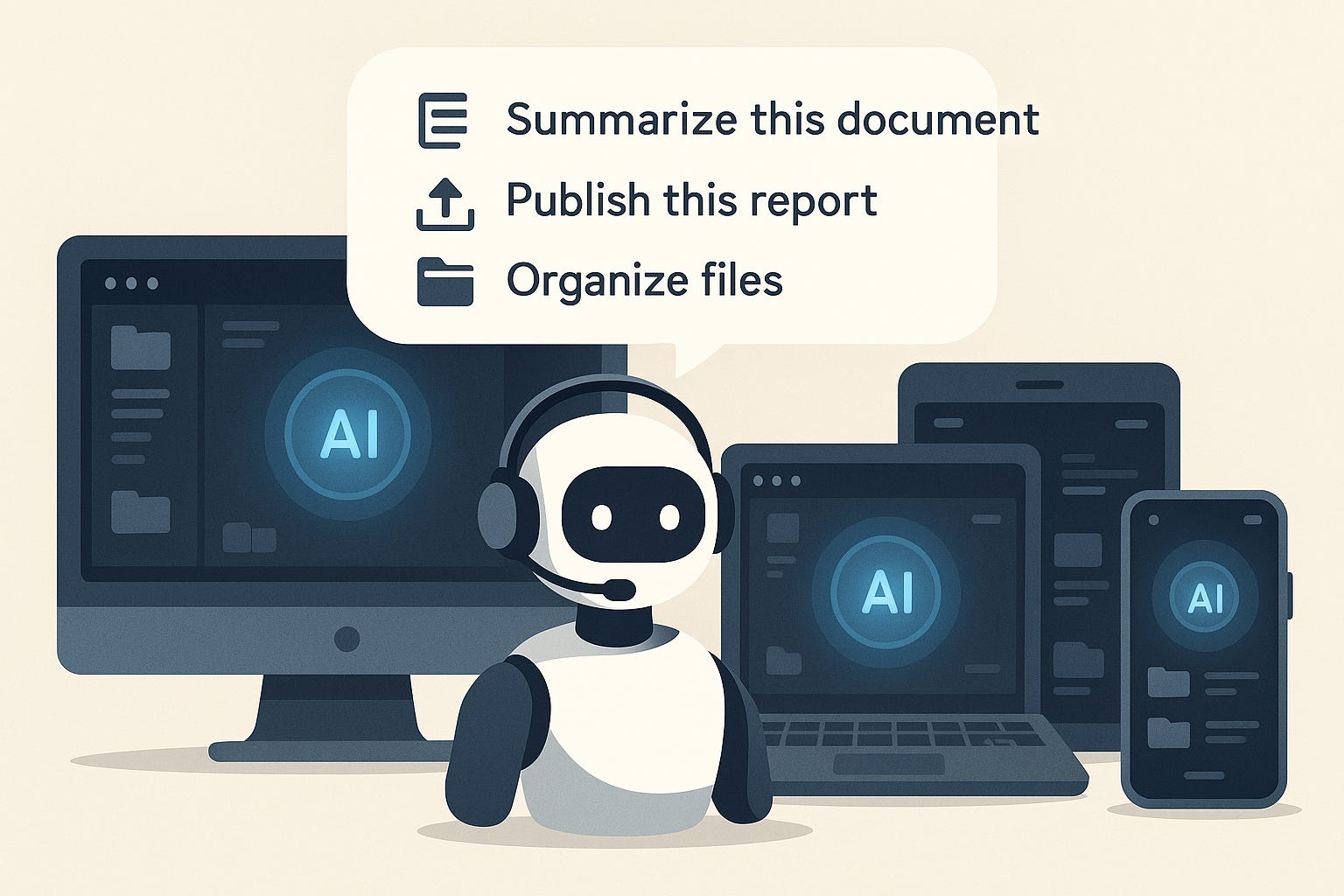
"Sort all photos by date and move them to the cloud."
"Turn off all notifications except emergency contacts."
"Summarize this document and email it to my team."
On-demand AI responds to natural language, buttons, gestures, or even contextual triggers like opening a folder or connecting a USB drive.
2. Automatic AI Tasks
These require no direct command—the AI learns user behavior, recognizes system patterns, and acts preemptively:
Silencing notifications during meetings (based on your calendar)
Recommending file deletion when storage is low
Launching a fitness app when headphones and shoes are detected
Muting background apps to save battery when traveling
The AI becomes proactive, functioning more like a digital butler than a simple assistant.
How It Works Behind the Scenes
Task-performing AI relies on a combination of:
System-level integration: Access to file systems, hardware sensors, settings, and APIs
Behavioral modeling: Learning user routines and contextual preferences
Prompt parsing and command mapping: Turning spoken or written instructions into code-level actions
Security frameworks: Operating with permissions and sandboxing to avoid misuse
It may use local or hybrid processing (edge + cloud) for speed and privacy, depending on the sensitivity of the task.
Key Applications
Smartphones and tablets: Contextual shortcuts, automated maintenance, battery optimization
PCs and laptops: Automated file management, presentation building, voice-commanded OS navigation
Smart wearables: Predictive actions based on health patterns, schedule, or movement
Smart homes: Coordinated tasks between OS and connected devices (lights, thermostats, locks)
Ethical and UX Considerations
With power comes responsibility. Task-performing AI must be:
Transparent: Users should understand what the AI does and why
Permission-based: Users should control automation levels and data access
Reversible: Actions must be undoable or reviewable
Respectful: The AI must adapt to personal rhythms, not interrupt them
Done right, it enhances the OS without overwhelming the user.
The Future: Your OS Becomes Your Operator
In the near future, we may stop thinking of an operating system as a platform we control—and start seeing it as a collaborator.
The OS will not just open the apps you need—it will suggest them, configure them, update them, and even shut them down when they’ve served their purpose. Your role shifts from “operator” to “director.” You define the goal. The AI does the rest.
Conclusion
AI that performs tasks within the operating system isn’t science fiction—it’s already happening. As it becomes more intelligent, customizable, and ethical, it will reshape how we work, rest, create, and connect through our devices. It’s not just convenience. It’s a new relationship with our machines—one where the OS is no longer passive, but purposefully intelligent.
AI-Based Content Publishing Automation in Operating Systems
By Ronen Kolton Yehuda (Messiah King RKY)
Abstract
This article presents the architecture, workflow, and system-level requirements for integrating artificial intelligence (AI) as a task-performing agent within operating systems (OS), specifically for automating publishing-related tasks. The paper details the modular layers, event triggers, API interactions, and deployment strategies for systems that autonomously manage and execute content creation, formatting, and publication across digital platforms.
1. Introduction
The task of content publishing—traditionally segmented across writing tools, editing platforms, file converters, and distribution channels—has evolved into a streamlined process through AI integration. Embedding AI into the OS layer introduces a unified automation layer that enables both on-demand and autonomous publishing of documents, posts, images, or reports.
This system transforms the OS from a passive execution environment into an intelligent content operator.
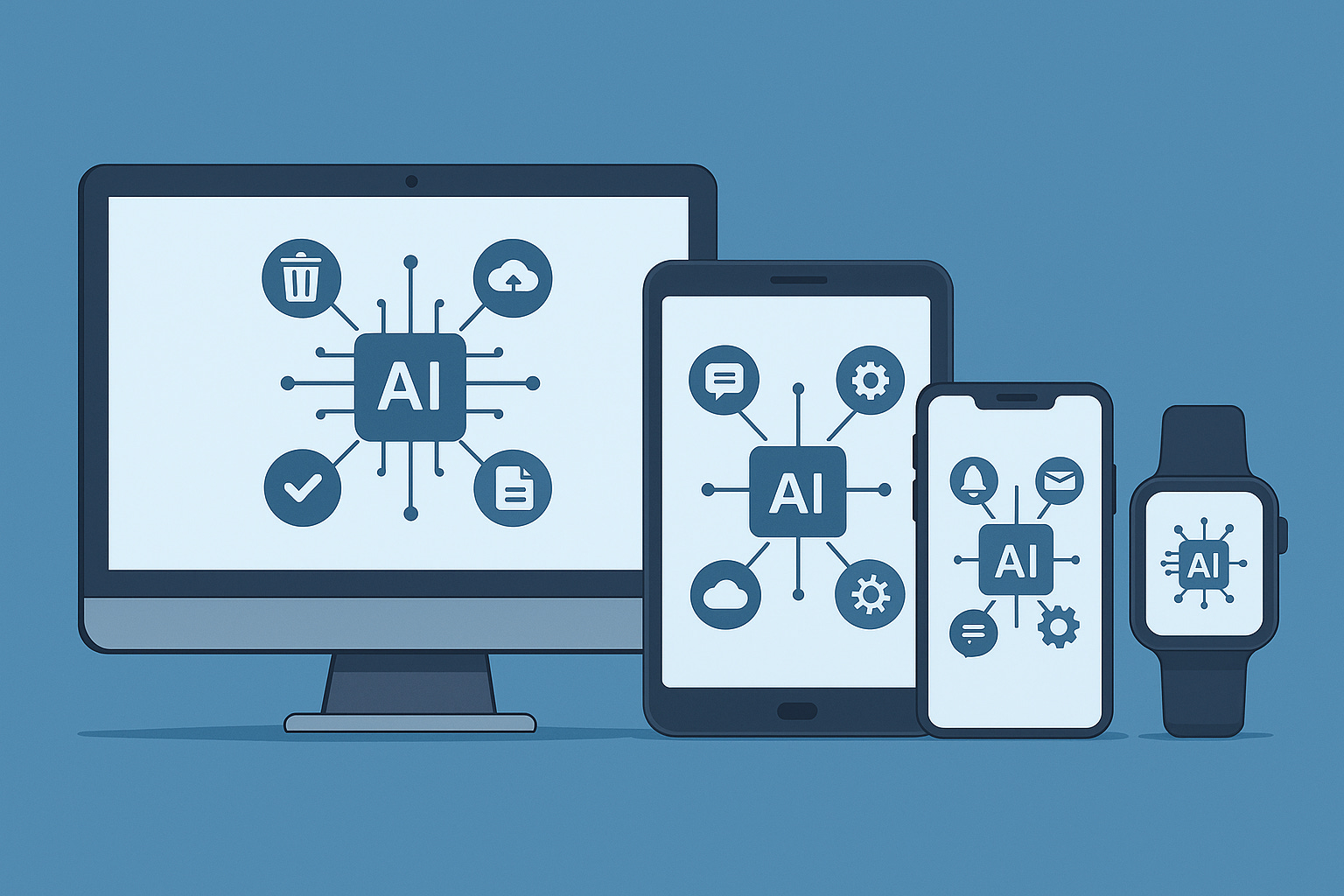
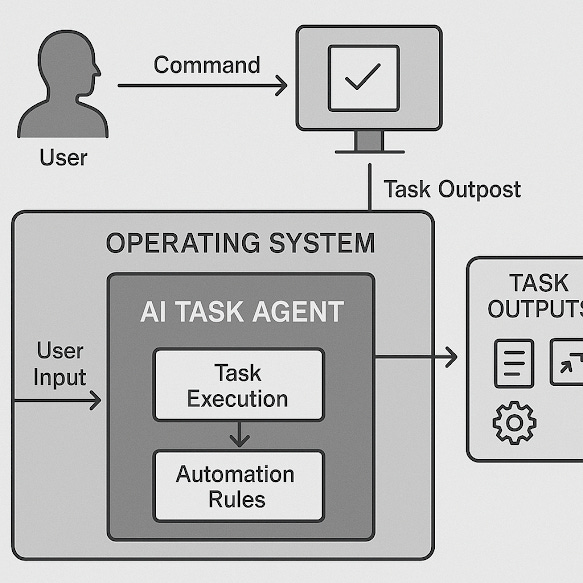
2. System Architecture Overview
2.1 Key Components
AI Agent Core
Trained on NLP and multi-modal input parsing; capable of handling commands such as "publish," "summarize," "format," and "schedule."
Task Orchestration Layer
Manages user input, event triggers, and task queues. Routes tasks between input modules and publishing engines.
Publishing Interface Manager
Interacts with APIs of target platforms (e.g., WordPress, Substack, Medium, Google Docs, FTP servers, Markdown-based CMSs).
Security Context Manager
Handles authentication, authorization, and secure handling of tokens and credentials for remote API access.
Rendering Engine
Converts raw content into appropriate publishable formats (HTML, Markdown, PDF, DOCX, etc.).
3. Workflow Modes
3.1 On-Demand Execution
Triggered by user commands (voice/text/touch)
Contextual input (document open, file selection, clipboard data)
Prompt → NLP Parser → Task Engine → Renderer → API Dispatch
3.2 Autonomous Execution
Triggered by system events, scheduled timers, or behavioral inference
Examples:
Auto-publish weekly summary from a specific folder
Auto-post draft if untouched for >7 days
Real-time publishing upon file save + metadata match (e.g.,
publish:true)
4. Process Flow
Command Parsing
Input captured → parsed using transformer-based model (e.g., BERT, T5)
Intent classification + entity extraction → task identified
Task Assembly
Task parameters packaged (target platform, format type, content source, time delay)
Rendering Pipeline
Content formatted using predefined or learned templates
Conversion libraries (e.g., Pandoc, HTML parsers, LaTeX renderers)
Publishing Protocols
HTTP/REST for blog APIs
SMTP for email newsletters
Webhooks or WebDAV for CMSs
OAuth 2.0 or token-based authentication for secure API access
Feedback + Logging
System returns confirmation or error
Logs updated (local + optional cloud sync)
5. Use Case Examples
Scenario A: A student finishes a research document in Markdown. The OS-AI detects a “publish-to-drive” tag and uploads it as a styled PDF with citations into a shared academic folder, with email notification to team members.
Scenario B: A user dictates an idea into a voice recorder. The AI transcribes, structures it into article format, applies SEO tags, and auto-posts it to their Medium blog.
Scenario C: A weekly scheduled post is prepared from files tagged “weekly-summary,” merged, and posted to a newsletter service every Friday at 10:00am.
6. Privacy and Safety Considerations
Sandbox Execution: Publishing logic runs in isolated containers or virtual user environments to prevent unintended file or data access.
Audit Trails: All publishing actions logged with time, target, and content hash.
Access Controls: Granular permissions for publishing targets; user confirmation may be required for high-risk actions.
7. Deployment Options
Embedded (Local OS Integration): Native AI features inside custom OS (e.g., Villan V1 OS or A1 OS)
Hybrid (Local + Cloud AI): Lightweight model on-device, heavier rendering or ML in the cloud
Agent-Based: System service or daemon runs at startup, responds to API hooks or file system events
8. Limitations and Future Improvements
Multi-language Localization: Requires NLP expansion for content in non-English formats.
Adaptive Styling: Needs further integration of AI/ML styling engines (e.g., learning user design preferences).
Error Handling & Draft Recovery: Systems must evolve to handle failed API calls, network issues, or formatting errors gracefully.
9. Conclusion
By embedding publishing intelligence directly into the OS, users and institutions benefit from frictionless content flow, reduced workload, and error-resistant task execution. AI no longer merely assists with writing—it operates the entire publishing lifecycle. This technical leap turns the OS into an autonomous agent that thinks, formats, and acts—bridging raw content and public visibility in real time.
From Commands to Content: AI That Publishes for You, On-Demand or Automatically
By Ronen Kolton Yehuda (Messiah King RKY)
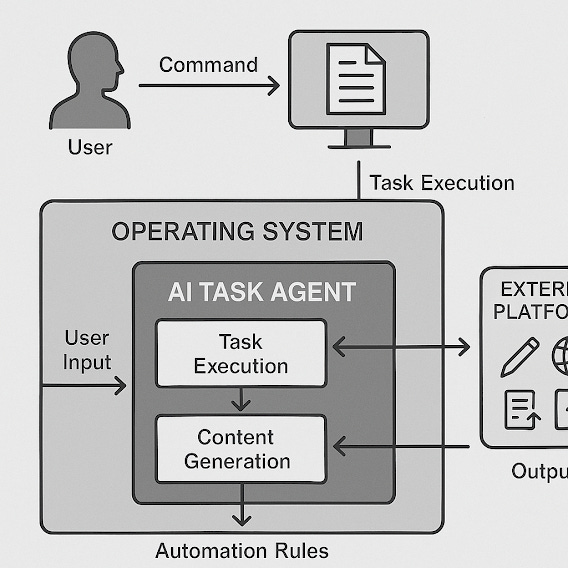
Imagine finishing a document and, without lifting a finger, it’s already published on your blog, formatted for your newsletter, or backed up in your drive. No extra clicks, no “export as PDF,” no clumsy copy-paste routines. This is no longer a dream — it's the reality of AI-powered task automation built directly into operating systems.
In this new age, AI isn’t just helping you write — it’s helping you do. And that includes one of the most essential tasks in the digital world: publishing.
AI That Publishes for You: What It Means
In traditional workflows, publishing is a multi-step process: writing a draft, reviewing, formatting, converting, uploading, and finally posting. AI task agents now handle that entire chain, with options for:
On-Demand Publishing: You give a command like “Post this to my Medium blog,” and it’s done.
Automatic Publishing: The system knows your pattern (e.g., every Thursday morning) and publishes content at the right time — even with slight content tweaks if needed.
The AI can work across:
Blogs and websites
Newsletters (Substack, Mailchimp, etc.)
Documents and archives (Google Drive, Dropbox, Notion)
Social media (LinkedIn, Instagram, Threads, X)
Internal portals or academic publishing tools
How It Works: Behind the Automation
An embedded task-performing AI in the OS accesses and connects these functions:
Text Understanding: AI recognizes content types — article, post, report, draft — and classifies it.
Formatting and Editing: AI automatically applies formatting templates for each platform.
Content Routing: Based on keywords, timing, or tags, it chooses where to publish or store.
API-Based Execution: The AI connects through secure APIs or apps to perform the post or upload.
All this happens within your OS environment, without needing third-party copy-paste workflows or browser logins.
What You Can Ask It To Do
“Publish this article as a blog post with headings and tags.”
“Email this as a PDF to my team.”
“Post this image and text to Instagram on Friday at noon.”
“Archive this doc in my personal writing folder and schedule a backup.”
“Translate, format, and publish this piece to Medium and Substack, then summarize for social.”
And the AI doesn’t just publish — it can edit, summarize, translate, and even suggest SEO enhancements before publishing.
On-Demand vs. Automatic Publishing
On-Demand:
You’re in control.
Ideal for one-time posts, spontaneous work, or detailed documents.
Activated by voice, text command, or touch.
Automatic:
Based on rules, routines, or content type.
Great for recurring content (newsletters, updates, articles).
Works silently in the background, optionally notifying you when done.
You can choose hybrid options too — like “review before publish” or “auto-publish drafts older than X days.”
Integration with the OS: A Seamless Layer
This AI lives within your OS environment, not as a separate app. That means:
It has direct access to file storage, apps, templates, and user settings.
It operates with zero friction — no app-switching or login repetition.
It can scale: from personal productivity to enterprise-level content pipelines.
For example, a CEO can draft ideas in a voice memo, and by morning, the OS-AI has drafted an article, proofed it, and posted a clean version to the corporate blog.
Use Cases
Writers and Journalists: Dictate articles or write drafts anywhere. AI edits, formats, and publishes.
Educators and Students: Summarize research and push to personal study blogs or class drives.
Entrepreneurs and Creators: Auto-publish weekly product updates or insights across platforms.
Organizations: Batch process internal reports into shared knowledge hubs or communication platforms.
Final Thought: From Typing to Thinking
The beauty of AI-publishing built into the OS is that it shifts our energy from managing tools to focusing on ideas. You think, draft, or speak — the AI handles the rest.
No more juggling platforms, deadlines, or formats. Your OS becomes your editor, assistant, and publisher — either when you ask, or even before you do.

AI That Performs Tasks for You – On Any OS, Any Device
By Ronen Kolton Yehuda (Messiah King RKY)
Introduction: A Universal Shift in Computing
We are witnessing a major shift in how we use computers, smartphones, smartwatches, and even home systems. Instead of tapping, clicking, and navigating through apps ourselves, AI is now performing tasks for us—across any operating system. Whether you're on Windows, macOS, Android, iOS, Linux, or a custom OS like Villan V1 or A1 OS, task-performing AI is becoming a built-in part of the user experience.
This AI doesn’t just suggest or assist—it acts.
What Is Task-Performing AI on Any OS?
Task-performing AI is embedded intelligence within the operating system that actively carries out actions on behalf of the user—either through voice, gestures, routine detection, or automation rules. It transforms the OS into a proactive assistant that understands context, manages complexity, and handles the execution of digital tasks.
Examples of what it can do:
Launch and manage apps
Clean up memory or storage
Organize files and folders
Write, summarize, or format documents
Send emails and schedule meetings
Sync data across devices
Publish content automatically to blogs or drives
And all of this can happen without switching between apps or following step-by-step instructions.
Designed for All Platforms and Devices
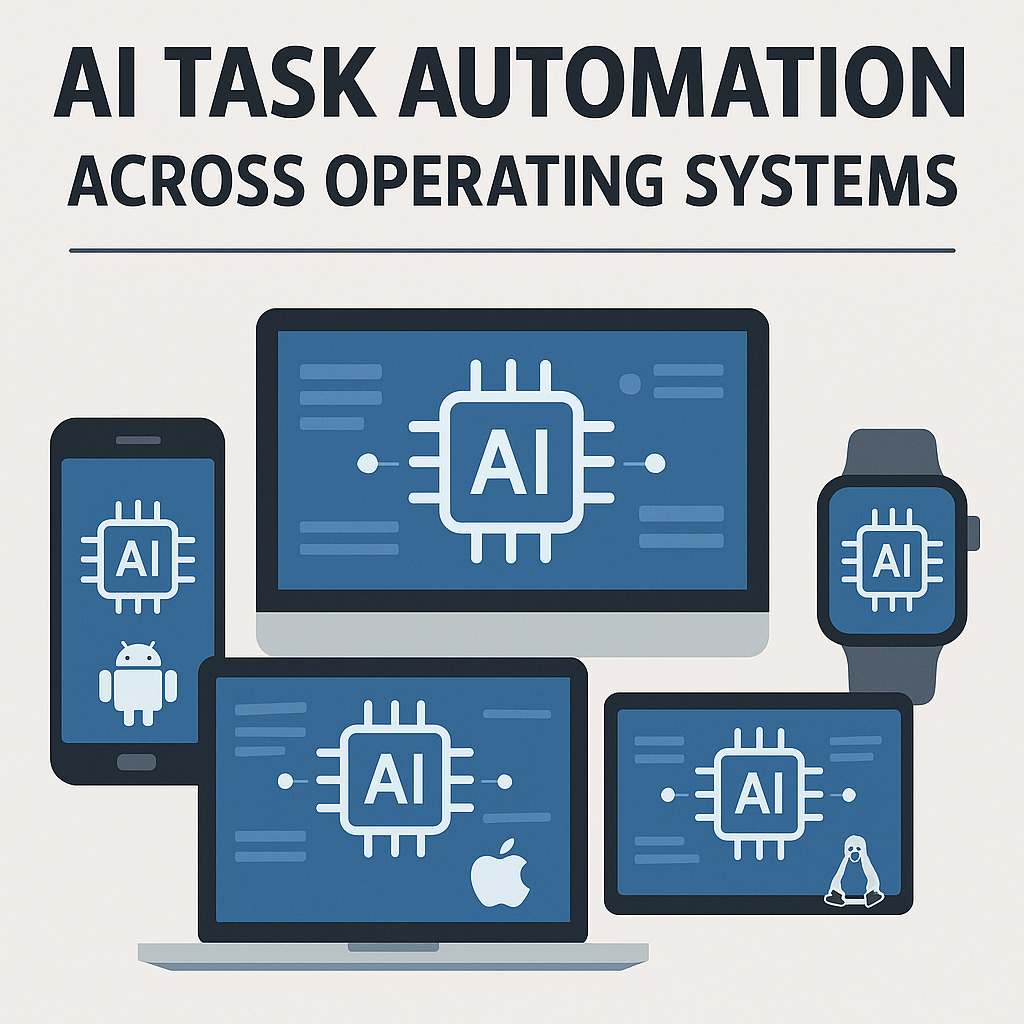
This AI is cross-platform by design, which means it works on:
PCs and Laptops (Windows, macOS, Linux, Villan OS)
Smartphones and Tablets (Android, iOS, A1 OS)
Smartwatches (watchOS, WearOS, Villan Wear)
Smart TVs, Cars, and Homes (IoT platforms and embedded OS)
You can ask it to:
“Mute all non-urgent notifications while I’m driving.”
“Schedule tomorrow’s tasks based on my email.”
“Format and post my journal entry to Substack.”
“Send this voice memo as a formatted email.”
On-Demand or Autonomous: Two Modes of Operation
🟢 On-Demand Tasks
Triggered when you ask directly (via voice, tap, or command).
Examples:
“Open my Zoom call and take notes.”
“Email this to my lawyer as a PDF.”
“Back up all today’s photos to cloud.”
🟡 Automatic Tasks
Triggered by AI detecting your patterns or scheduled rules.
Examples:
Auto-publish your weekly blog post every Sunday
Suggest file cleanup when space is low
Activate sleep mode when no motion is detected
A Smart OS for a Smart World
With task-performing AI, the OS becomes a real-time operator instead of a passive shell. This intelligence is made possible by:
System Integration: Access to file systems, sensors, and APIs
Behavioral Learning: AI learns your habits and adjusts accordingly
Command Understanding: Natural language processing (NLP) that turns your words into precise actions
Secure Execution: Sandboxed tasks with permission-based control
It’s not about giving up control—it’s about delegating effort.
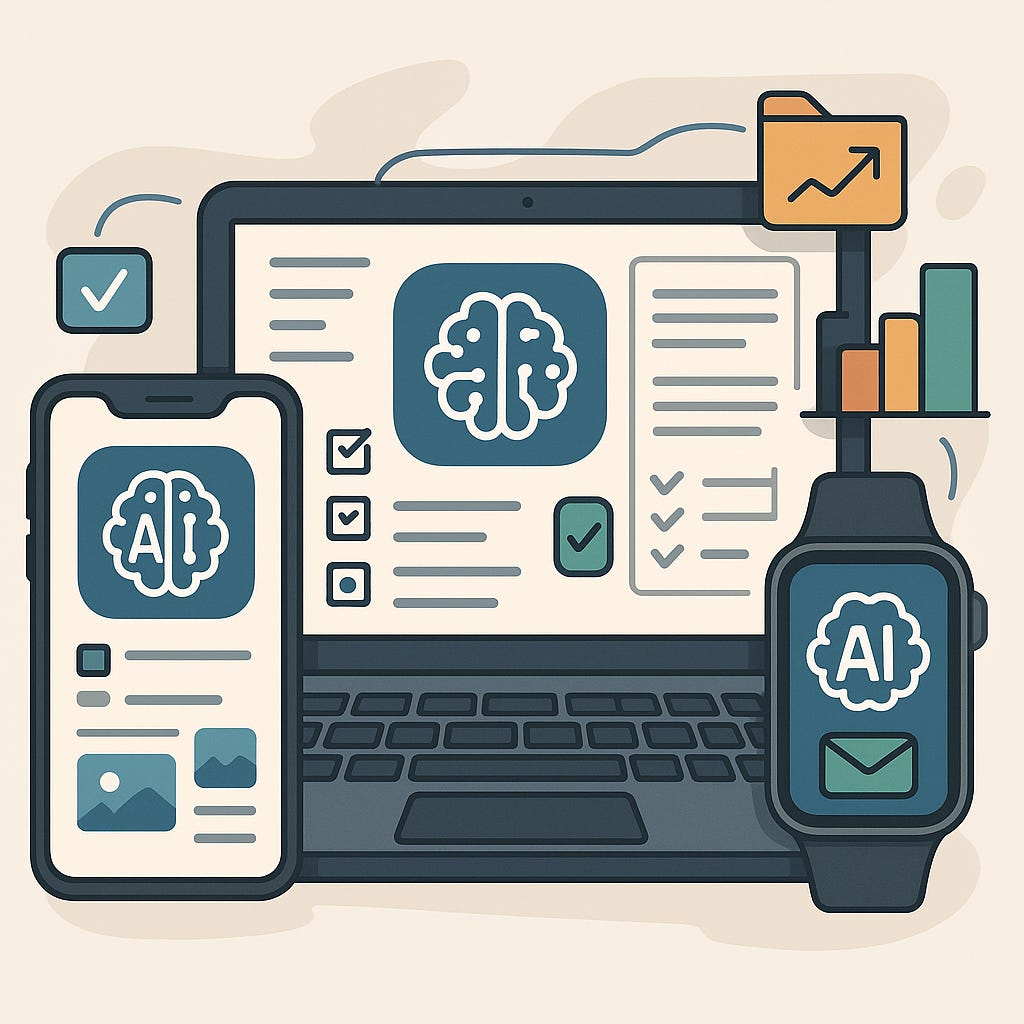
Universal Use Cases Across Devices
📱 Smartphone:
Detects you're working and turns off distractions
Sends a location-based message automatically when you arrive home
⌚ Smartwatch:
Automatically logs health stats and prepares a daily report
Launches your fitness playlist and app when you start jogging
💻 PC or Laptop:
Cleans your desktop every week
Formats and posts documents with AI-generated summaries
🏠 Smart Home:
Coordinates your thermostat, calendar, and energy use
Locks the door and arms security if your phone is charging at night
Ethics, Transparency, and Trust
A universal AI must be designed to respect users’ privacy and boundaries. Key principles include:
Transparency: You see what the AI is doing and why
Consent: You approve what automation is allowed
Control: You can override or disable any action
Security: AI works within defined permissions and encrypted channels
No AI system should assume too much without user clarity.
From Manual Tasks to Intelligent Automation
Whether you're a student, a business owner, a traveler, or a remote worker, AI within your OS helps you do more with less input. It brings productivity, awareness, and automation together—without requiring an app for every action.
The OS becomes the conductor. The AI is the orchestra. You just set the rhythm.
Conclusion: A New Standard Across All Operating Systems
AI that performs OS-level tasks is not a feature of the future—it’s the new standard. It adapts to any device, any platform, any user. Your operating system, whether it’s on a watch or a workstation, is no longer a passive interface—it’s an intelligent partner that thinks, acts, and publishes.
We are not just simplifying computing—we are redefining it.
Smart. Serious. Elegant.
For any OS. On any device. Powered by you, performed by AI.
© Ronen Kolton Yehuda (Messiah King RKY)
Villan | A1 OS | V1 OS | Global AI Standards
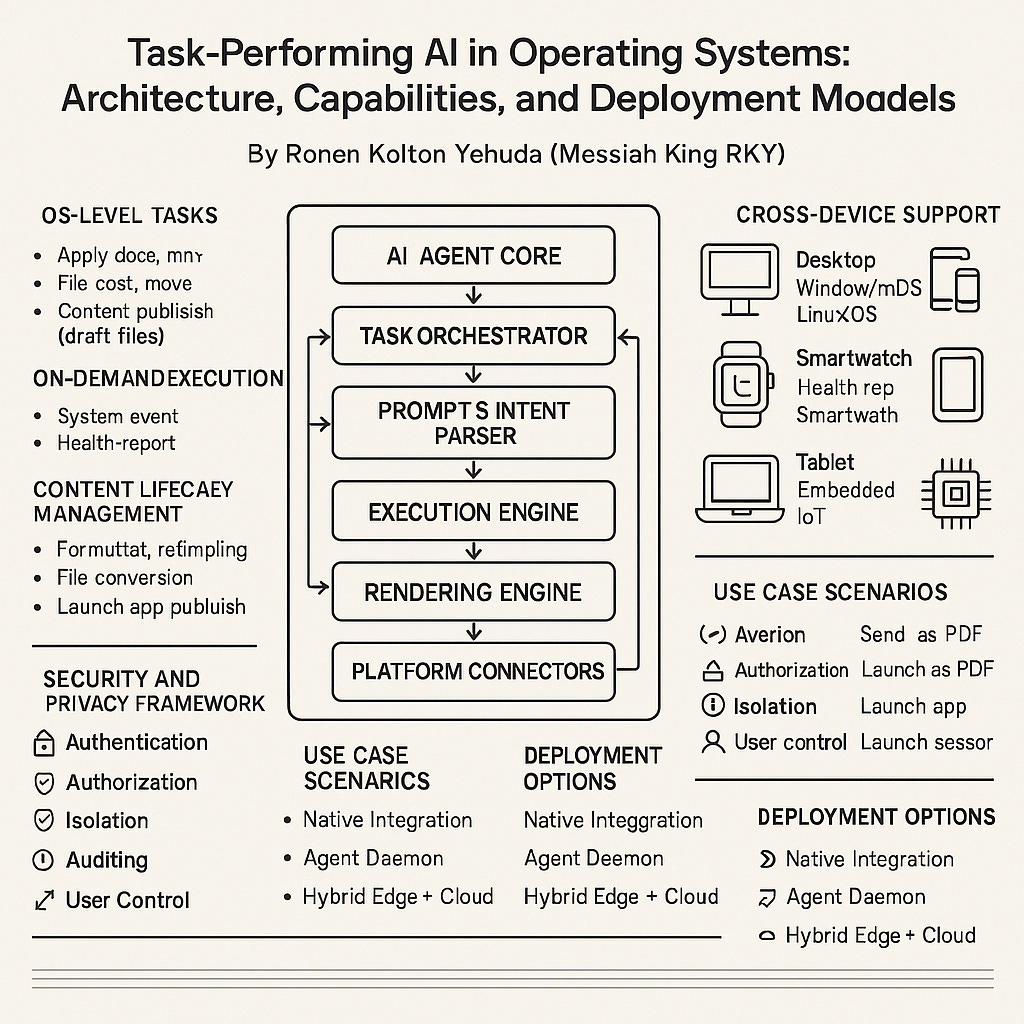
Task-Performing AI in Operating Systems: Architecture, Capabilities, and Deployment Models
By Ronen Kolton Yehuda (Messiah King RKY)
Abstract
This article presents a technical framework for integrating task-performing artificial intelligence (AI) directly into operating systems (OS) across device classes—including desktops, smartphones, wearables, and embedded systems. These AI agents perform system-level and user-facing tasks on demand or autonomously, enabling automation of application management, data operations, and content publishing. We outline architecture layers, execution models, system triggers, security structures, and deployment strategies for multi-platform implementations.
1. Introduction
As user expectations shift toward intelligent automation, traditional operating systems must evolve beyond passive execution environments. Task-performing AI embedded within the OS allows for real-time task delegation—automating both simple actions (e.g., app launching) and complex workflows (e.g., document formatting and publication).
This article describes the engineering model for such systems, from signal processing to cloud interaction.
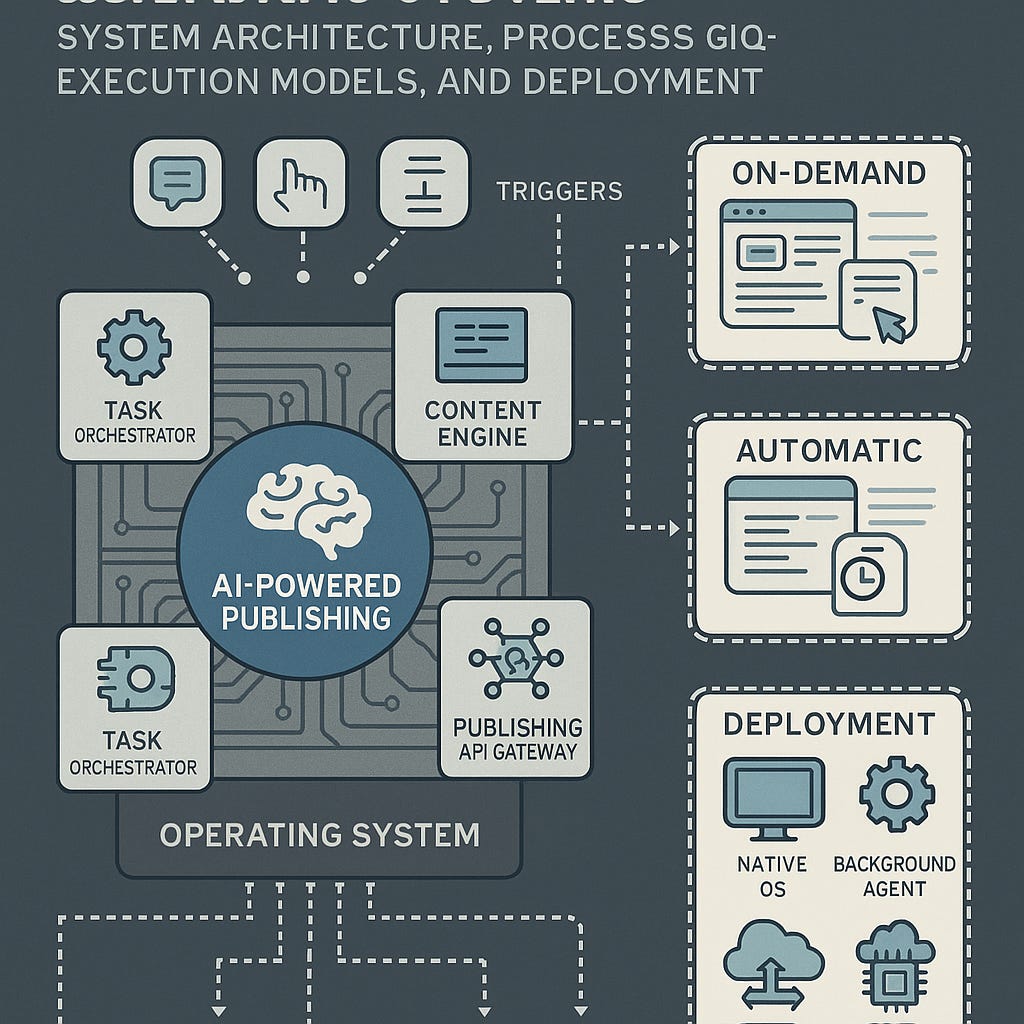
2. System Architecture
2.1 Core Components
| Module | Function |
|---|---|
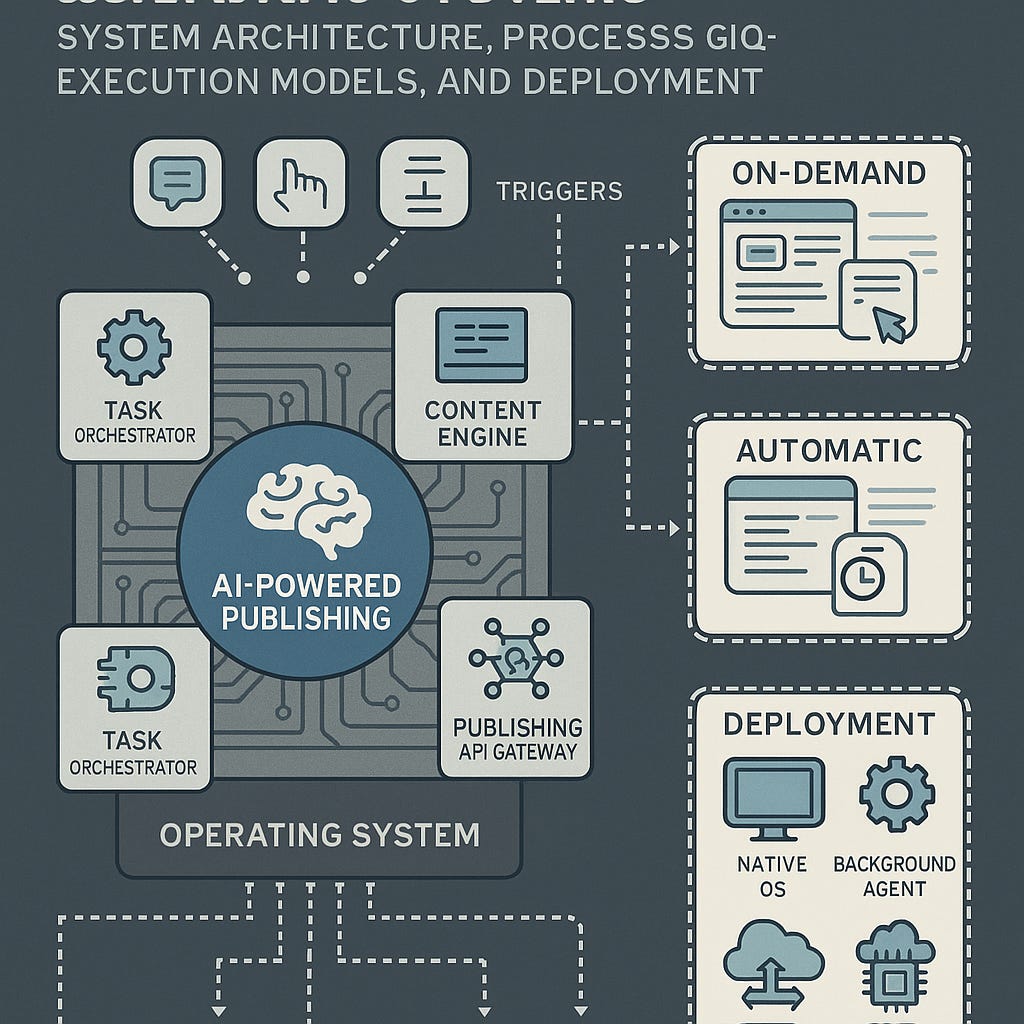
| AI Agent Core | Trained on NLP, contextual inference, and structured task parsing |
| Task Orchestrator | Routes commands, schedules execution, prioritizes workload |
| Prompt & Intent Parser | Uses transformer-based models (e.g., GPT, T5, BERT) for command interpretation |
| Execution Engine | Interfaces with system APIs for I/O, storage, scheduling, and publishing |
| Security Manager | Sandboxes operations, manages OAuth2/token-based access, and logs actions |
| Rendering Engine | Converts content into structured outputs (HTML, Markdown, PDF, DOCX) |
| Platform Connectors | Secure API handlers for external systems: CMSs, cloud storage, communication apps |
3. Task Categories
3.1 OS-Level Tasks
Application management (open/close)
Resource optimization (e.g., RAM cleanup, app throttling)
File system operations (sort, move, backup)
Settings adjustments based on context (e.g., dark mode at night)
3.2 Content Lifecycle Management
Formatting and document templating
File conversion (e.g.,
.mdto.pdf)Auto-tagging and SEO processing
Multi-platform publishing (blogs, social media, drive uploads)
4. Execution Models
4.1 On-Demand Execution
Example:
"Summarize this document and email it to my team."
4.2 Autonomous Execution
Example:
Publish report from folder
/weekly-summaryevery Friday at 10:00Archive unused files older than 60 days
5. Cross-Device Support
Task-performing AI must operate seamlessly across:
| Device Type | OS Environment | Key Functions |
|---|---|---|
| Desktop (PC/Mac/Linux) | Windows/macOS/Linux/Villan OS | Productivity, publishing, file ops |
| Smartphone | Android/iOS/A1 OS | Smart settings, mobile publishing |
| Smartwatch | watchOS/Wear OS | Health log reporting, alert management |
| Tablet | Android/iPadOS | Mixed input automation, cross-app orchestration |
| Embedded IoT | Custom OS / Villan Core | Environmental sensing, system feedback |
6. Security and Privacy Framework
Authentication: OAuth 2.0, biometric gate for sensitive actions
Authorization: Scoped API tokens, per-task permissions
Isolation: AI actions occur in containers or virtualized user zones
Auditing: All actions logged with timestamps, checksums, and undo capability
User Control: Manual review toggles for high-risk or publishing actions
7. Use Case Scenarios
| Scenario | Trigger | Outcome |
|---|---|---|
| Voice Command | “Send this as PDF” | AI formats and emails selected content |
| Contextual Trigger | Folder activity | Publishes documents tagged “publish:true” |
| Scheduled Job | Weekly timer | Creates and posts newsletter with AI-generated summary |
| Sensor Input | Headphones + motion detected | Launches fitness app and records session |
8. Deployment Options
8.1 Native Integration
Direct OS kernel/API bindings
Ideal for proprietary systems (Villan V1 OS, A1 OS)
8.2 Agent Daemon
User-mode service with system API access
Compatible with Linux, Windows, macOS
8.3 Hybrid Edge + Cloud
Edge handles parsing and local decisions
Cloud handles content rendering, ML processing, and API distribution
9. Limitations and Considerations
Multilingual NLP: Regional support requires domain-specific LLM tuning
Latency: On-device inference vs. remote execution balance
Error Recovery: Timeout handling, retries, fallback actions
Data Protection Compliance: GDPR, HIPAA, ISO 27001 for enterprise deployment
User Experience: Needs balance between helpfulness and autonomy
10. Conclusion
Task-performing AI embedded into operating systems represents a paradigm shift—where the OS transitions from reactive platform to proactive operator. It enables users to delegate entire workflows, not just clicks.
This shift reduces friction, increases focus, and enhances machine collaboration across personal and enterprise environments.
Task-Performing AI for Seamless Content Publishing in Operating Systems
By Ronen Kolton Yehuda (Messiah King RKY)
Abstract
As operating systems evolve into intelligent ecosystems, the integration of AI as a task-performing agent unlocks new capabilities in automation, particularly in digital publishing. This technical article outlines the system architecture, processing logic, execution models, and deployment strategies for AI-powered publishing agents embedded in modern operating systems. It emphasizes the AI’s dual operation modes—on-demand and autonomous—while detailing the software layers, security mechanisms, and practical applications across user domains.
1. Introduction
Traditional operating systems execute user-initiated tasks via apps and interfaces. With the rise of embedded AI, these systems can now perform complex, multi-step workflows automatically. Among the most compelling applications is AI-based publishing: an intelligent OS layer that transforms raw user content into published outputs—formatted, distributed, and stored—without manual steps.
This article presents the technical realization of such systems and their implications on productivity, UX, and content lifecycle automation.
2. System Architecture
2.1 Core Modules
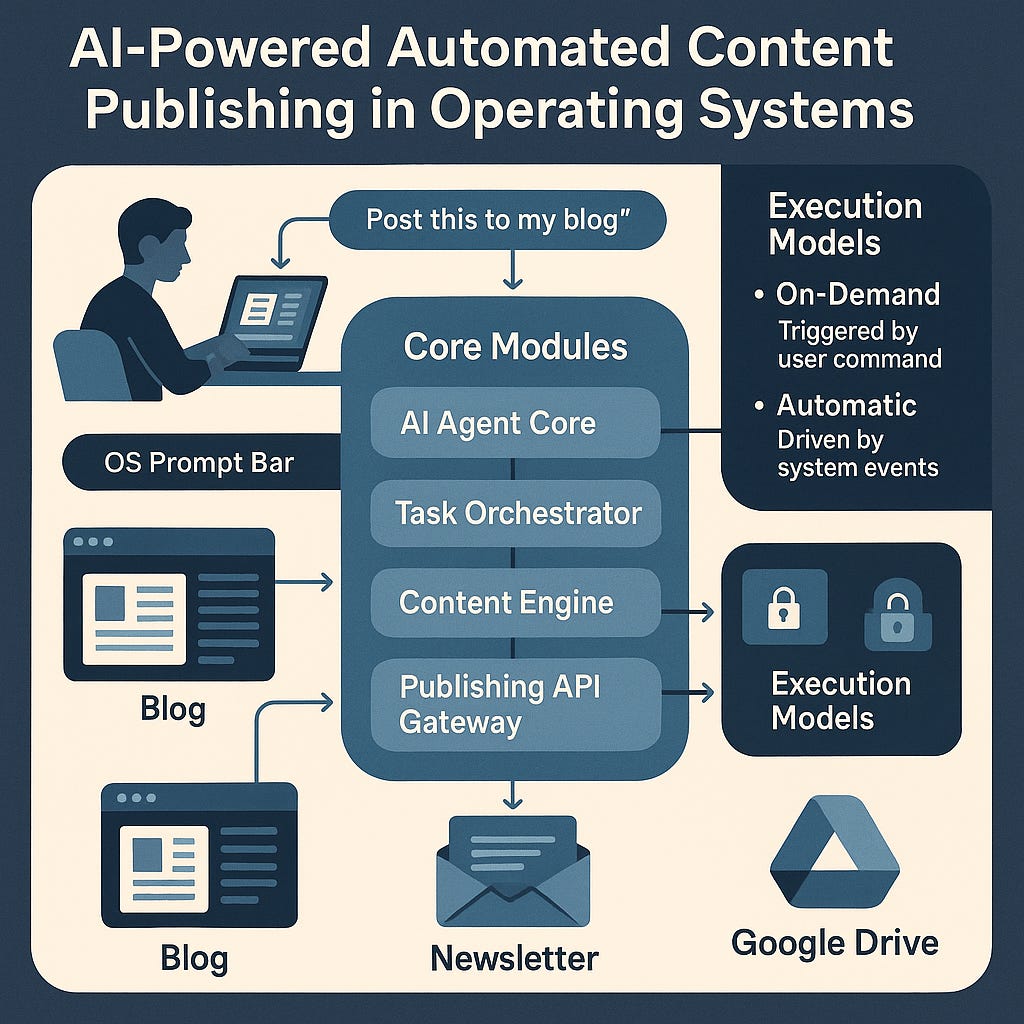
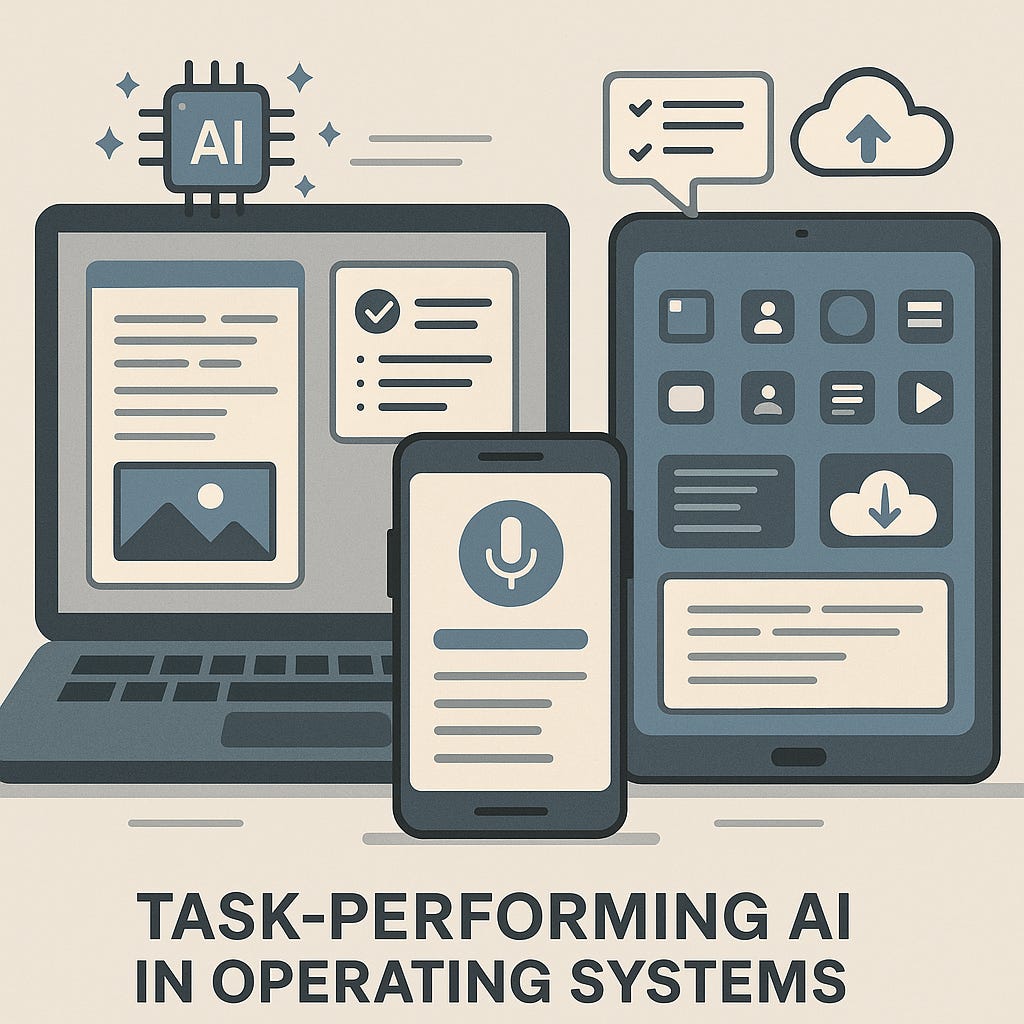
AI Agent Core
Pre-trained on NLP, task comprehension, and command parsing
Supports commands like:
publish,summarize,translate,format,schedule,convert
Task Orchestrator
Central controller routing parsed commands to subsystems
Handles asynchronous queues, prioritization, and fallback logic
Content Engine
Modular rendering stack for Markdown, LaTeX, HTML, PDF, DOCX
Styles content based on user preferences or templates
Publishing API Gateway
Secure connectors for platforms like WordPress, Medium, Google Drive, Substack, and Mailchimp
Handles protocol translation (REST, SMTP, WebDAV)
Security & Access Control Layer
Manages OAuth tokens, sandbox execution, and permission scopes
Maintains audit trails and rollback capability
3. Execution Models
3.1 On-Demand Publishing
Initiated by:
Voice commands (e.g., "Post this draft to Medium")
Touch/tap gestures or context menu triggers
Text instructions inside documents or OS prompt bar
Flow:
[Input] → [AI Parser] → [Task Engine] → [Format Renderer] → [API Connector] → [Publish]
3.2 Automatic Publishing
Triggered by:
File system events (e.g., new document saved to "to-publish" folder)
Timers (e.g., scheduled newsletters every Monday)
Contextual inference (e.g., document untouched for 72 hours)
Flow:
[Trigger] → [Inference Layer] → [Template Matching] → [Render] → [Publish] → [Notify User]
4. Technical Workflow
4.1 Parsing & Intent Recognition
Uses transformer-based models (e.g., GPT, T5, BERT)
Extracts intent, target platform, schedule time, and content structure
4.2 Task Assembly
Defines scope, formatting rules, post-processing steps
Attaches metadata: SEO tags, summaries, preview images
4.3 Rendering & Formatting
Utilizes engines like Pandoc, HTML/CSS parser, PDFkit
Applies predefined or learned design styles
4.4 Publication Execution
Uses secure token-authenticated API requests
Supports retries, error callbacks, and confirmation logs
5. Deployment Approaches
5.1 Native OS Embedding
Deep integration into custom OS (e.g., Villan V1 OS, A1 OS)
System-level privileges with sandbox isolation
5.2 Agent Service Daemon
Lightweight background service on existing OSes (Linux, macOS, Windows)
Triggered by file events or system calls
5.3 Hybrid Edge + Cloud AI
Edge AI handles parsing and formatting
Cloud handles compute-heavy rendering and cross-platform deployment
6. Use Case Scenarios
Academic: Student writes thesis → AI converts it to PDF → uploads to institutional archive → emails advisor
Business: Weekly sales report folder update → AI extracts charts → formats as slide deck → sends to team
Media: Dictated podcast notes → AI transcribes, summarizes, formats → publishes to blog and auto-emails subscribers
Creators: Photography folder update → AI resizes, captions, watermarks → posts to social platforms with tags
7. Privacy, Safety, and Control
Sandboxing: All operations occur within controlled runtime environments
User Permissions: Granular controls over what content and platforms AI can access
Audit Logging: Every publish event is logged with hash, timestamp, and destination
Manual Overrides: User can preview, cancel, or revert actions at any stage
8. Challenges and Opportunities
Limitations
Multilingual NLP remains imperfect in certain domains
Handling platform-specific publishing errors (rate limits, broken APIs)
Managing content conflicts in version control or duplicated posts
Opportunities
Integration with generative design models for dynamic layout
Adaptive tone and style tuning (e.g., casual for social vs. formal for academic)
Decentralized publishing protocols (IPFS, Web3 blogs)
9. Conclusion
AI-powered publishing embedded within operating systems marks a shift from manual execution to goal-oriented computing. It enables users to think, speak, or save—and have the system handle the rest: formatting, converting, distributing, and managing content in real time.
As this paradigm matures, content creators, students, organizations, and entire industries stand to benefit from lower overhead, faster dissemination, and more intelligent publishing pipelines. The OS is no longer just a platform—it’s a digital partner with a mission: to publish, polish, and perform.
For Villan OS, A1 OS, and future content-first AI systems, this marks the rise of embedded intelligence as an essential layer—not a plugin.
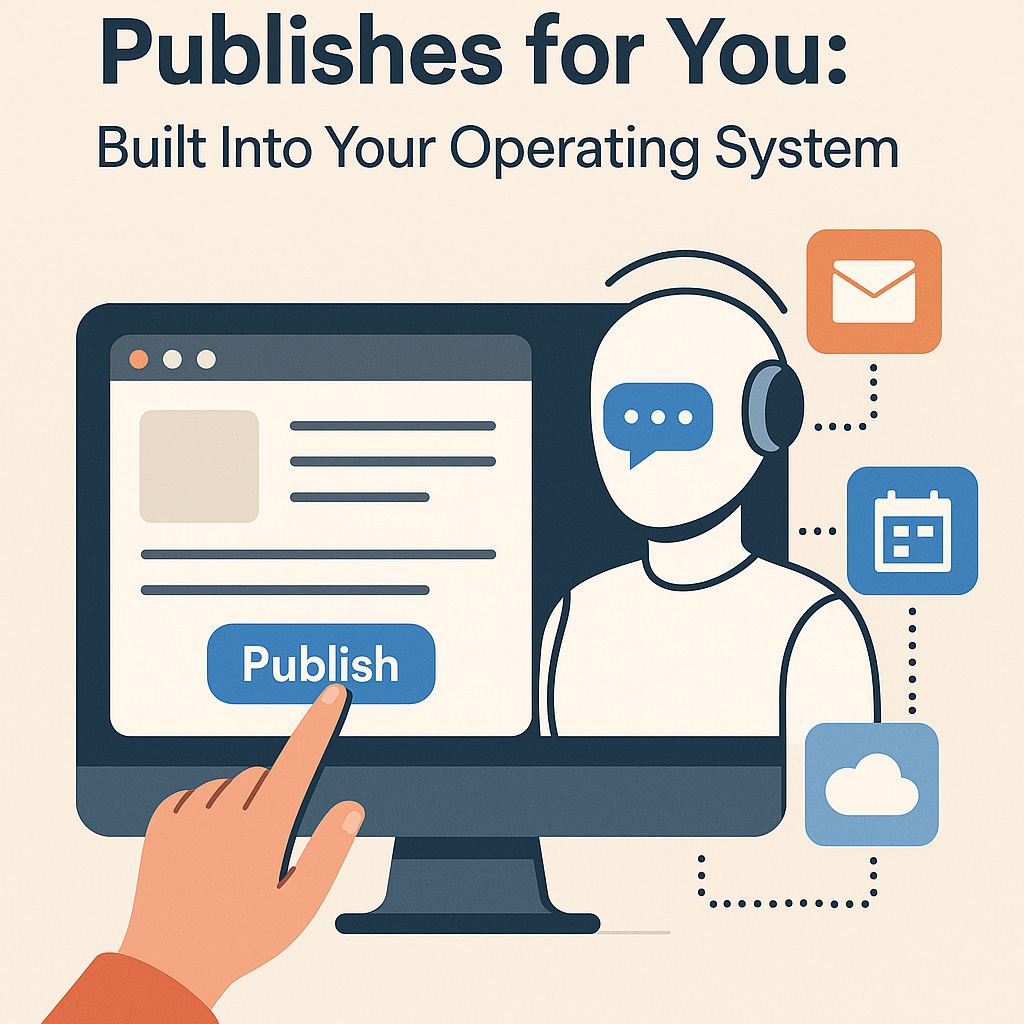
The Rise of AI That Publishes for You: Built Into Your Operating System
By Ronen Kolton Yehuda (Messiah King RKY)
Introduction: From Assistant to Operator
We’re entering a new era where artificial intelligence doesn’t just help you work—it does the work for you. And nowhere is this shift more visible than in how we publish content. Whether it’s a blog post, a PDF report, a social media update, or a newsletter, AI can now take your content and publish it directly—without opening a single app.
This isn’t science fiction or some future experiment. It’s happening now, and it’s built into the very operating system that powers your device.
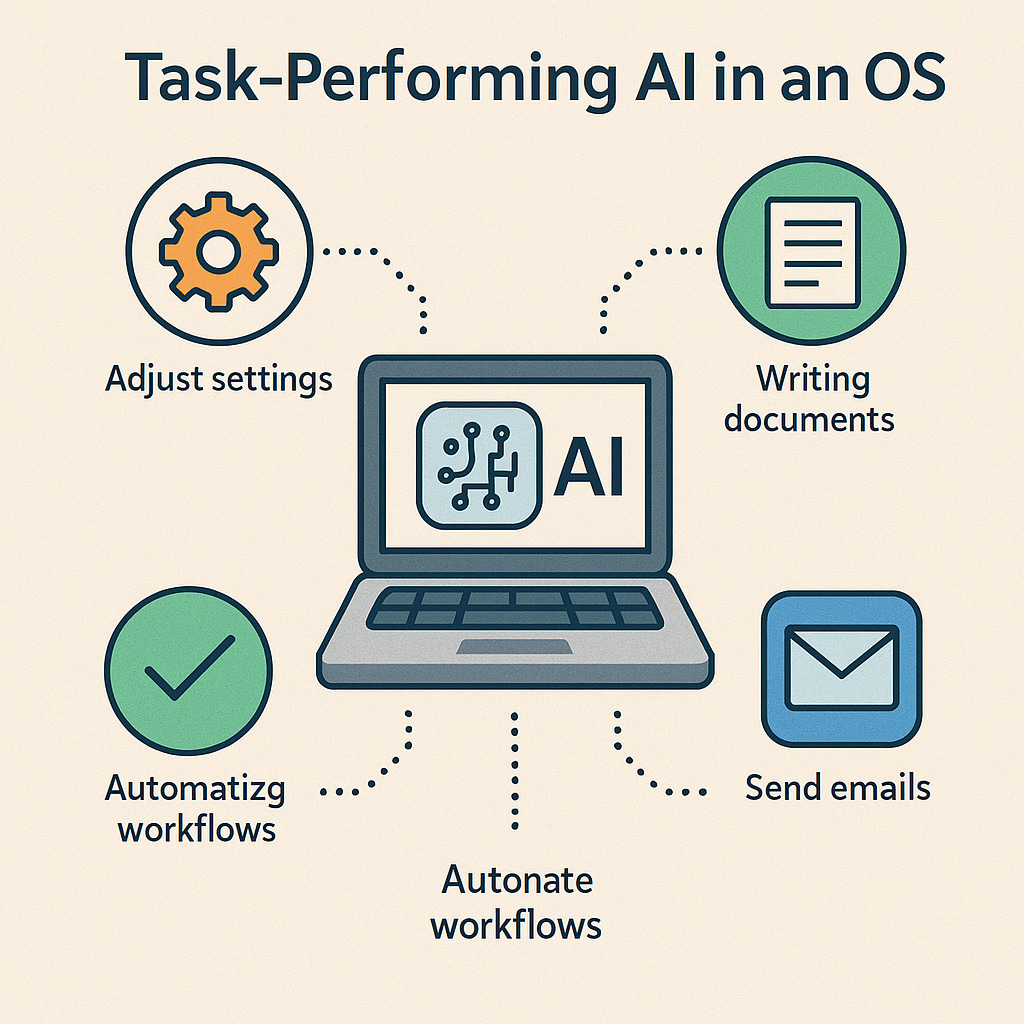
What Is Task-Performing AI in an OS?
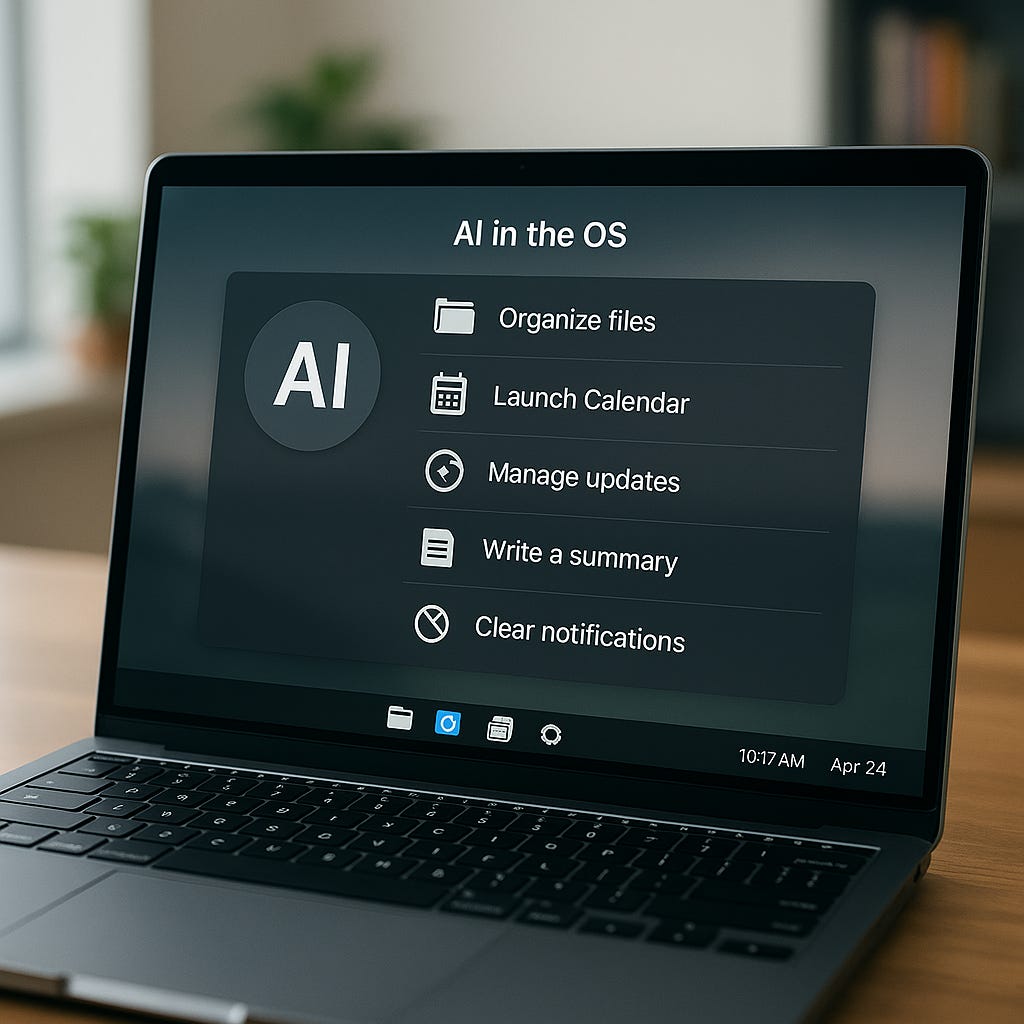
Unlike voice assistants that wait for questions, task-performing AI embedded into the OS actually acts on your behalf. It can open files, launch apps, schedule emails—and now, publish content.
This kind of AI understands what you want to do, not just what you say. It works through natural language, gestures, schedules, or even by recognizing patterns in your behavior. Over time, it becomes a true digital partner.
AI That Publishes for You: How It Works
You create the content—an article, a memo, a report, a photo album. Then, instead of switching between apps, uploading files, formatting and clicking through platforms, you simply give a command like:
“Post this to my blog.”
“Email this as a PDF to the team.”
“Schedule this newsletter for Friday.”
“Archive and back up this folder to Google Drive.”
The AI takes care of the rest.
Two Modes of Publishing
1. On-Demand Publishing
You trigger the task by voice, text, or touch. Perfect for spontaneous posts, finished articles, or structured workflows.
Examples:
“Publish this article to Substack and Medium.”
“Format and save this document as a PDF.”
2. Automatic Publishing
The AI acts without a direct command, based on your behavior or pre-set rules.
Examples:
Auto-post a weekly update every Friday.
Publish drafts that haven’t been edited for 7 days.
Automatically share a summary when a file is saved in a specific folder.
Built Into the OS: Why It Matters
Because this AI lives inside your operating system—not as a separate app—it has deep access to your files, apps, and routines. That means:
No need to copy-paste between programs.
No more remembering to export or format.
No repetitive tasks across platforms.
Instead, your OS becomes a full-service publishing hub that understands you.
Real-World Use Cases
🧑💼 For Professionals: Draft a weekly report—AI formats and emails it.
✍️ For Writers: Dictate an article—AI edits, tags, and posts it to multiple blogs.
🎓 For Students: Finish a research paper—AI converts it to PDF and uploads it to your class folder.
📣 For Creators: Drop content into a folder—AI schedules posts across Instagram, LinkedIn, and your blog.
What Makes It Powerful?
Formatting Templates: The AI knows how to style for different platforms.
Smart Scheduling: It posts when your audience is most active.
Cross-Platform Publishing: One file can go to multiple destinations automatically.
Custom Rules: You decide what triggers the AI—time, tags, folders, or voice.
Privacy and Control
You’re always in charge. AI-powered publishing systems are designed with:
Permission-based access
Action logs for review and undo
Sandboxed execution to protect your data
Optional previews before posting
The Big Shift: From Typing to Directing
As this technology matures, your role changes. Instead of spending time managing platforms, you focus on creating and thinking. The OS handles the rest—quietly, intelligently, and efficiently.
Conclusion: A Smarter Way to Publish
AI that publishes for you isn’t just a time-saver—it’s a fundamental change in how we use our devices. By embedding this intelligence into operating systems, the line between idea and action disappears. With just a voice or a click, your content lives where it needs to—blog, inbox, archive, or audience feed.
This is not just convenience—it’s creative freedom. Your OS now doesn’t just respond. It performs.
© Ronen Kolton Yehuda (Messiah King RKY)
Smart. Serious. Elegant.
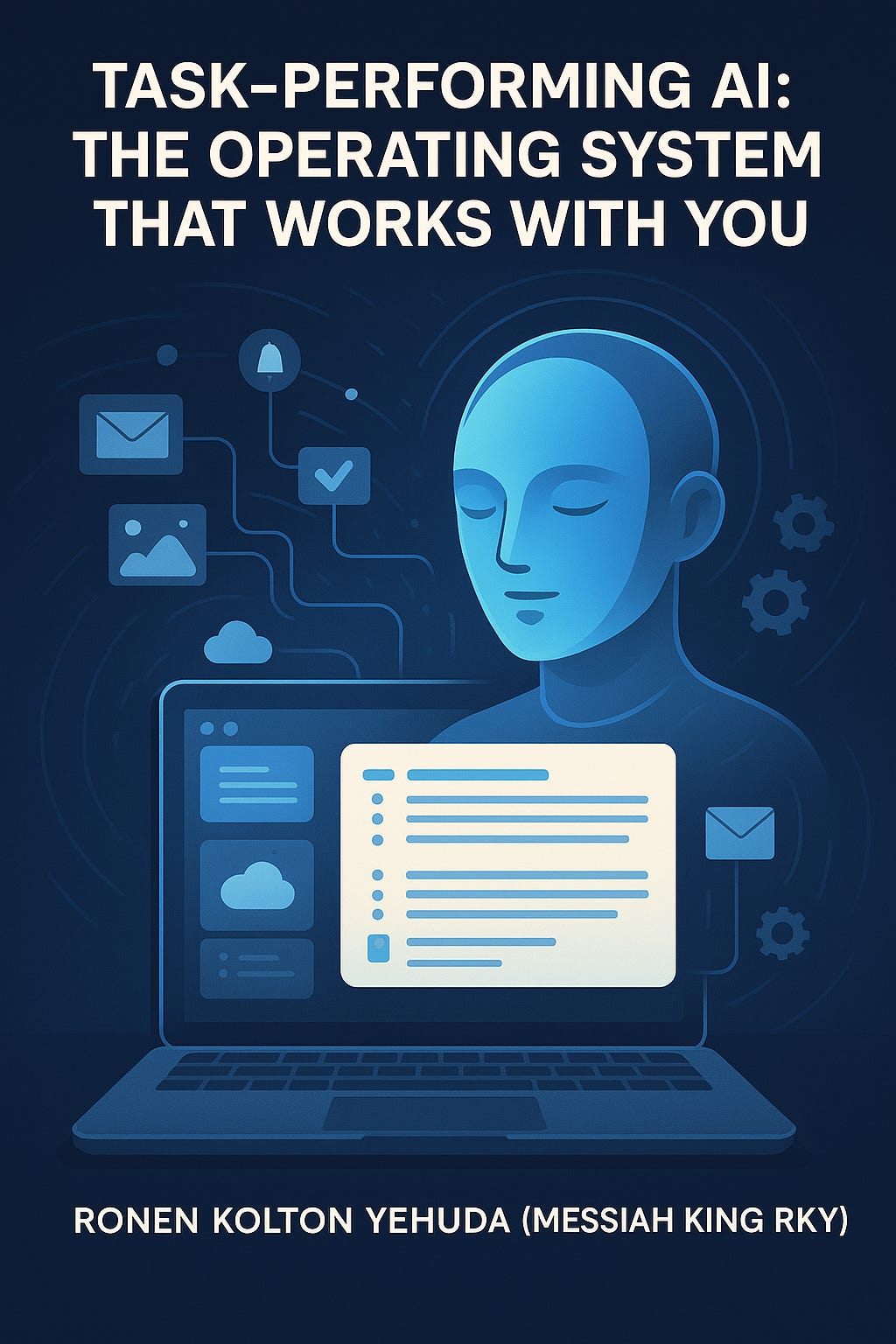
Task-Performing AI: The Operating System That Works With You
By Ronen Kolton Yehuda (Messiah King RKY)
Introduction: From Interface to Intelligence
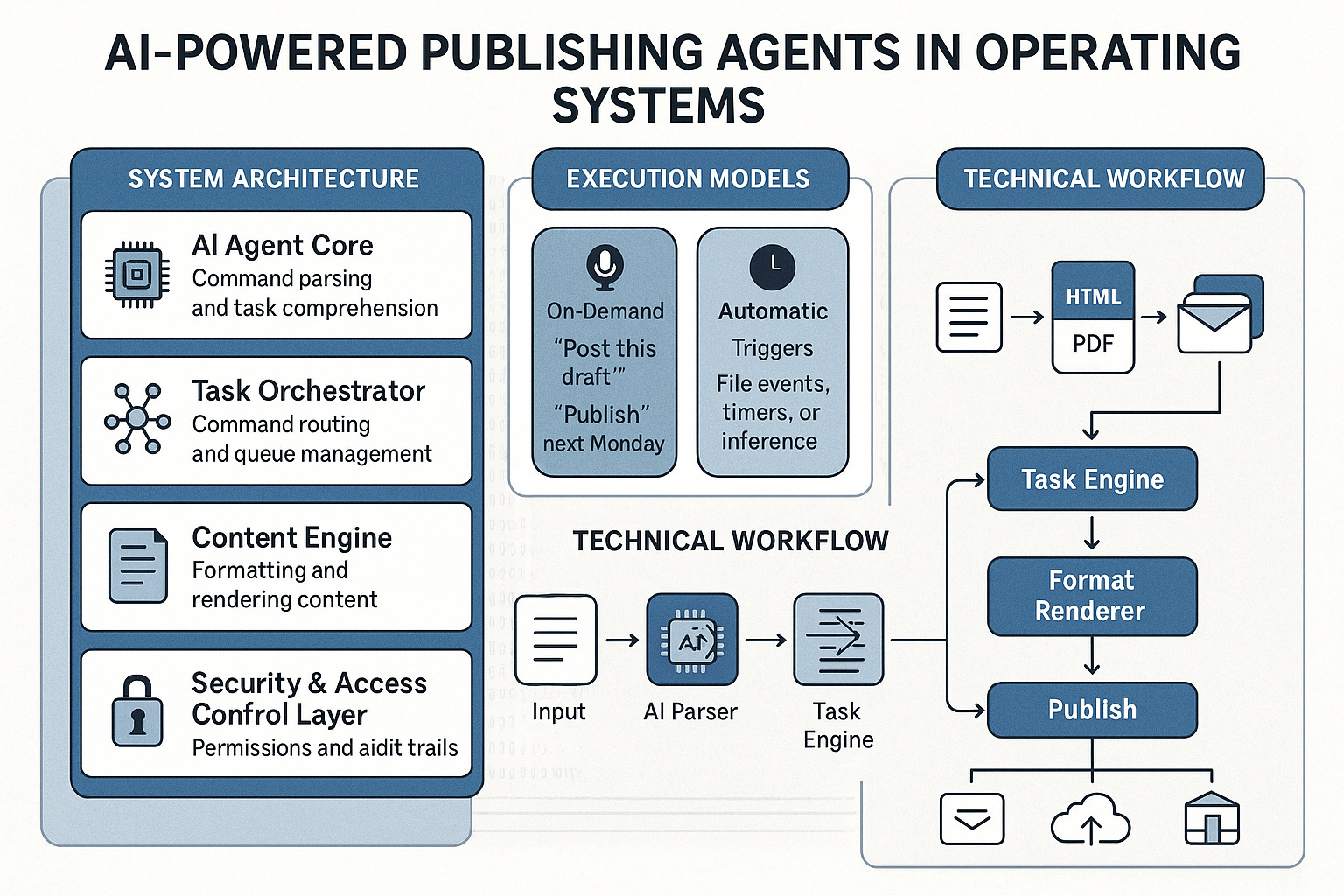
The operating system (OS) has always been the gateway to computing. But today, it’s becoming more than just a platform for apps. It’s evolving into a smart, responsive digital partner—powered by AI that performs tasks directly inside the OS.
No longer limited to passive commands or simple automation, this AI actively operates the system for you—filing documents, adjusting settings, publishing content, or sending messages. Whether you're working on a PC, smartphone, smartwatch, or tablet, this new layer of intelligence is changing how we interact with machines.
What Is Task-Performing AI in an OS?
Unlike external assistants like Siri or Google Assistant, task-performing AI is integrated into the core of your OS. It doesn’t just respond—it acts. It understands commands, monitors your workflow, and completes multi-step operations.
Core Functions Include:
Opening and closing apps
Managing system settings and notifications
Writing, formatting, and sending communications
Backing up files or syncing across devices
Publishing blogs, documents, and media—automatically or on demand
It’s like having an intelligent operator working inside your system.
How It Operates: Two Modes of Intelligence
1. On-Demand Mode
Triggered by direct commands via voice, gesture, or input:
“Send this as a PDF to my team.”
“Turn off background apps and open Google Docs.”
“Upload these images to Dropbox and archive the folder.”
2. Automatic Mode
Triggered by behavioral analysis, device states, or schedules:
Auto-silences notifications during meetings
Posts a weekly newsletter from a tagged folder
Activates power-saving mode when on battery and in motion
Detects an unedited draft and prepares it for publication
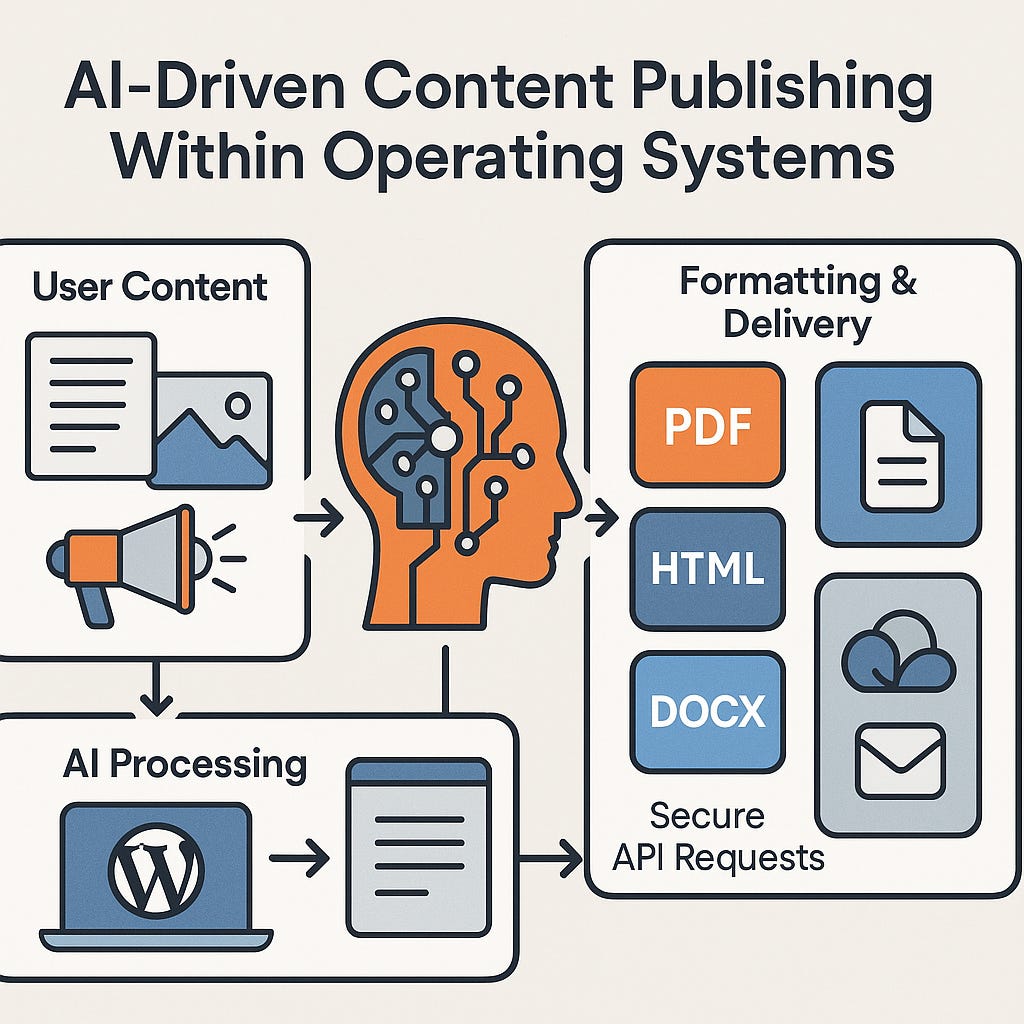
The AI Publishing Layer: From Draft to Live
One of the most impactful roles of OS-integrated AI is publishing automation. With the right setup, your OS can:
Detect tagged or saved content (e.g., “publish:true”)
Format it for a target platform (Markdown, PDF, HTML)
Apply design and structure
Connect through APIs to services like WordPress, Substack, Notion, or cloud drives
Post or email it without manual steps
The result: your voice memo, notes, or article becomes a formatted, published piece—automatically.
System Architecture Overview
Main Components:
AI Agent Core: Understands input and converts it into actions
Task Manager: Routes tasks, sets priorities, manages timing
Rendering Engine: Converts content into structured, publish-ready formats
Platform Connectors: Secure APIs to websites, storage, newsletters, or social media
Security Layer: Handles authentication, permissions, sandboxing, and logging
This modular system can be deployed in:
Native OS environments (Villan V1 OS, A1 OS)
Agent services (for Windows, macOS, Linux)
Hybrid edge-cloud AI systems (for performance and privacy balance)
Examples Across Devices
📱 Smartphones
AI recognizes a saved photo folder and uploads it to the cloud at 10 PM
Silences your phone during fitness hours
⌚ Smartwatches
Logs biometrics, prepares weekly health reports
Launches music and workout app when it detects your morning run
💻 Laptops/PCs
Auto-creates summaries from your documents
Backs up files and sends reminders if edits are overdue
🏠 Smart Homes
Turns off appliances when you leave
Sends a location-based message when you're arriving home
Content Publishing Scenarios
A student saves a research paper with metadata “publish” → The OS converts it to PDF and shares it with the professor.
A content creator speaks a voice note → AI transcribes, edits, adds SEO, and posts it.
A manager drops a weekly update into a shared folder → The OS formats and emails it to a team list every Friday.
Designing for Ethics and Control
With such power, safety and transparency are critical. OS-integrated AI must be:
Explainable: You should understand what it does and why
Permission-Based: It should never act beyond its authorized scope
Undoable: Every action must be reversible or reviewable
Silent When Needed: The AI adapts to your habits and avoids interrupting your flow
The Future: OS as a Partner, Not a Platform
The operating system of tomorrow will do more than respond to your clicks. It will anticipate, act, and refine—based on your goals.
Imagine no longer needing to manage multiple tabs, tools, or schedules. Instead, you simply define the outcome. The AI does the rest.
Conclusion: Powered by You, Performed by AI
This is not a concept—it’s already underway in OS environments like Villan V1 OS, A1 OS, and evolving AI-native systems.
Task-performing AI changes the paradigm of computing. It helps you create, publish, organize, and connect—across any platform, with minimal friction and maximum efficiency.
It’s not just assistance. It’s action.
Your OS now performs. Intelligently. Seamlessly. Everywhere.
© Ronen Kolton Yehuda (Messiah King RKY)
Smart. Serious. Elegant.
Villan | A1 OS | V1 OS | AI-Powered OS Infrastructure
Legal Statement for Intellectual Property and Collaboration
Author: Ronen Kolton Yehuda (MKR: Messiah King RKY)
The concept, structure, and written formulation of “The Rise of Task-Performing AI: Your OS, Now Intelligent by Design” and all related derivative articles, technical frameworks, and architectures—collectively describing Task-Performing AI integrated within Operating Systems (OS)—are the original innovation and intellectual property of Ronen Kolton Yehuda (MKR: Messiah King RKY).
This work establishes authorship and creative development of the Task-Performing AI System and its full architectural model, including but not limited to:
-
Embedded AI agents operating at the OS level for on-demand and autonomous execution.
-
Integrated publishing intelligence performing formatting, conversion, and content distribution directly within the OS.
-
Dual-mode AI logic (manual and automatic execution).
-
Multi-device orchestration across PC, smartphone, smartwatch, and smart home environments.
-
Secure sandboxed task management, behavioral learning, and cross-platform synchronization.
-
OS-native AI systems under Villan V1 OS, A1 OS, and related AI OS architectures.
The author does not claim ownership of general AI, machine learning, or operating system technologies, but solely of the original system model, terminology, internal logic, execution architecture, and written expression defining Task-Performing AI as a native OS layer.
The author welcomes lawful collaboration, licensing, and partnership opportunities—particularly in OS development, AI automation, and digital publishing systems—under terms that ensure full authorship acknowledgment, ethical compliance, and intellectual property protection.
All rights reserved internationally.
Published by MKR: Messiah King RKY (Ronen Kolton Yehuda)
📘 Blogs:


Comments
Post a Comment